Wesley Ultra · in beta now

Ask once.
Wesley does the whole job.

Wesley Ultra gives Wesley his own computer, inbox, phone line and helpers. You watch him work and say yes to what matters.

Gated beta. Sign in with Google, and a person approves each account.
Calls, texts and email are switched on per account.
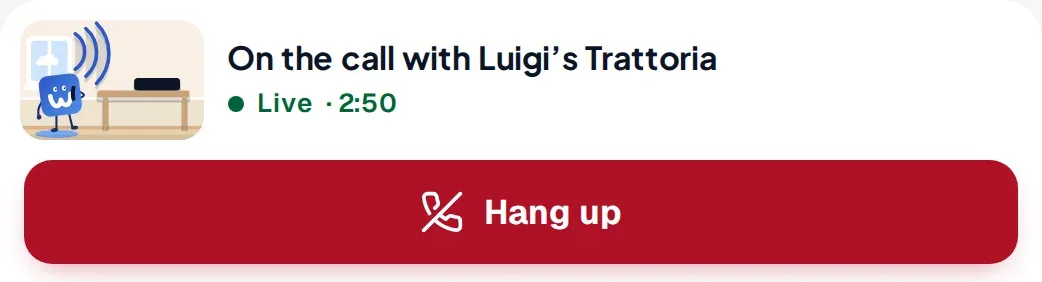
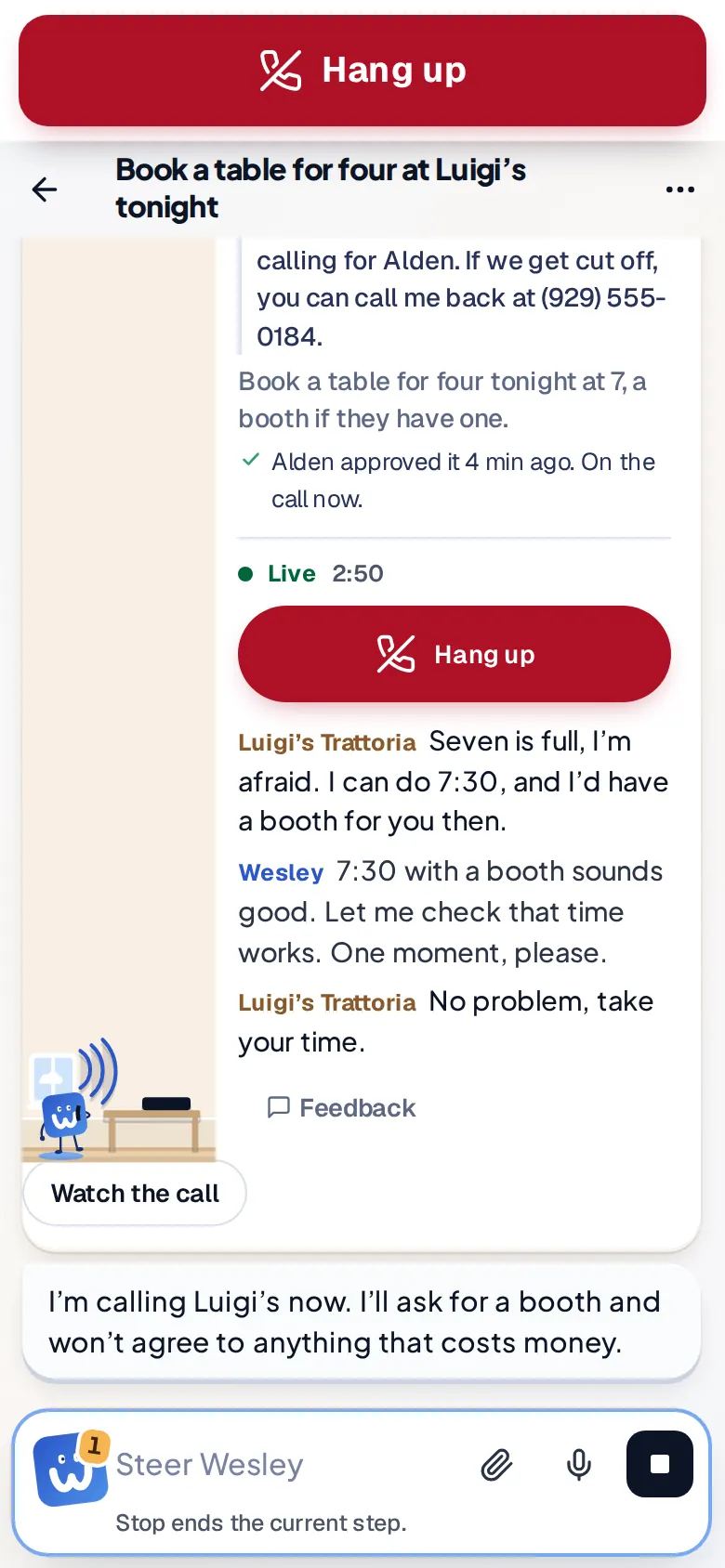
    A live call card: on the call with Luigi's Trattoria, live 2:50, with a red Hang up button
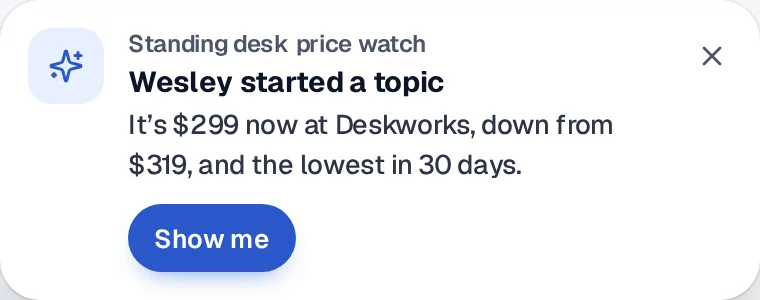
    A notice: a standing desk price watch started a topic. It's $299 now, down from $319
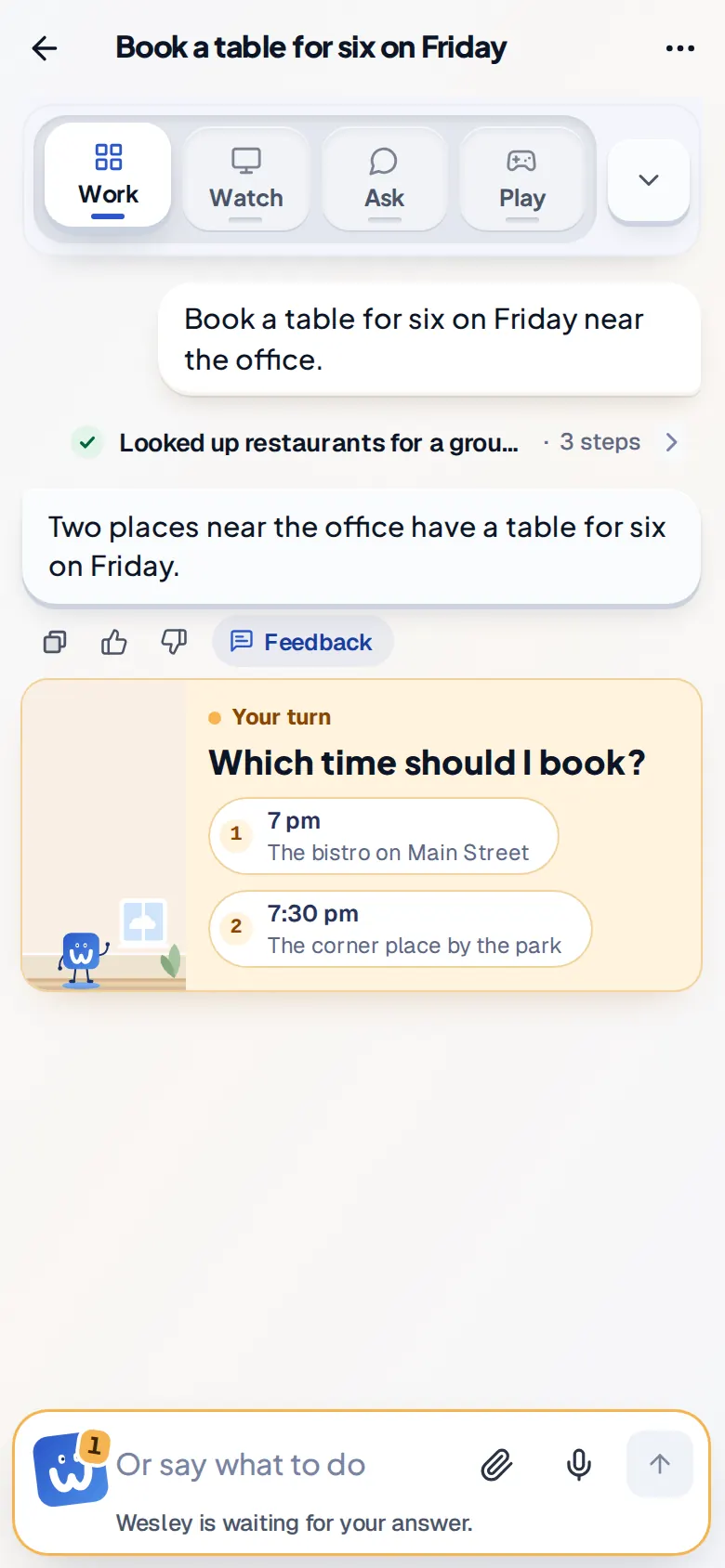
    An amber card: your turn. Which time should I book? 7 pm or 7:30 pm

    01 His own computer

    He does the clicking for you.

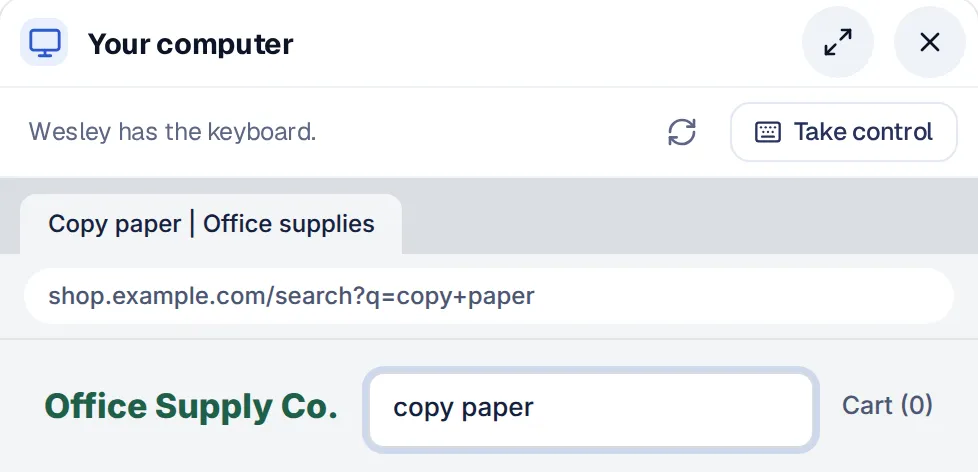
    Wesley has a real computer in the cloud. He opens sites, signs in, fills forms and compares prices, the way a person at a desk would.

    • A desktop in the cloud. A full desktop with a browser. It sleeps after 30 quiet minutes and keeps its files.
    • Watch or take over. See his screen live. Press Take control to drive, then hand it back.
    • Passwords he never sees. You type a login once. He fills it in without reading it, and screenshots skip the password box.
    • Show him once. Do a task while he watches. He saves the steps and repeats them with new details.
    • Clear money rules. He never types a card number. He pays only when you turned on auto pay and the site already has your card.

    02 Calls, texts and email New

    He makes the calls you put off.

    Wesley has his own phone number and email address. He calls, texts and writes for you. You can listen in or step in.

    Calls, texts and email are switched on per account during the beta.

    • Live calls you can steer. Read the call as it happens. Type a note and he says it, or press Transfer to me.
    • Hang up in one press. The big red button ends the call at once.
    • His own inbox. He reads, sorts and drafts. Each kind of email can wait for your yes or send on its own.
    • Texts that say who he is. His first text names him and the person he works for, and says how to opt out.
    • Limits built in. A call you did not ask for waits for your yes, unless everyone on it is a saved contact. No emergency, toll-free or premium numbers. At most 30 calls and 60 texts a day.

    03 Answers you can check

    Every answer shows its work.

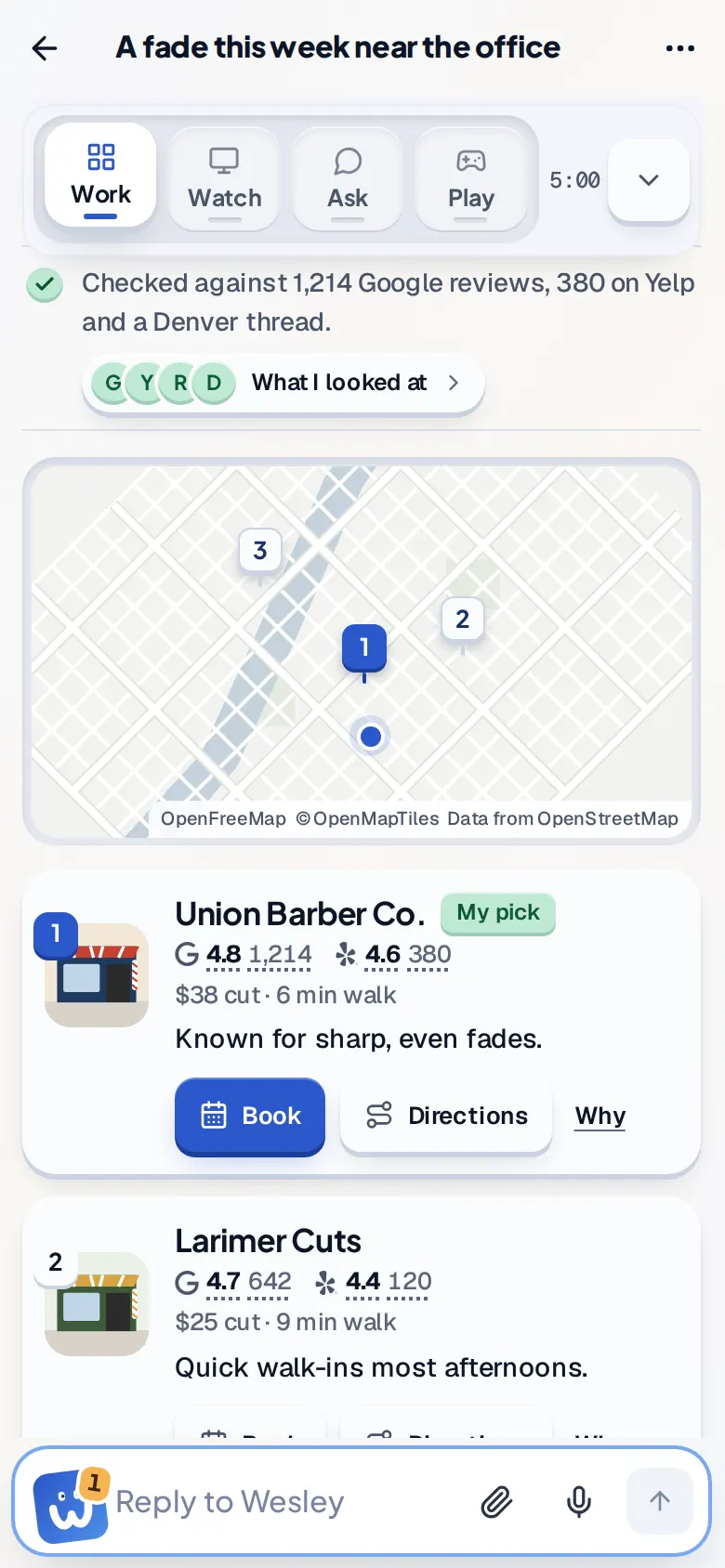
    He reads the web for you and hands back picks you can check. Each pick says why, and where it came from.

    • The answer comes first. Ranked picks with the numbers that matter, such as ratings, prices and walking time.
    • Why this one. Press Why on any pick to see the numbers and the reviews behind it.
    • Every source. What I looked at lists each source, plus what he set aside and why.
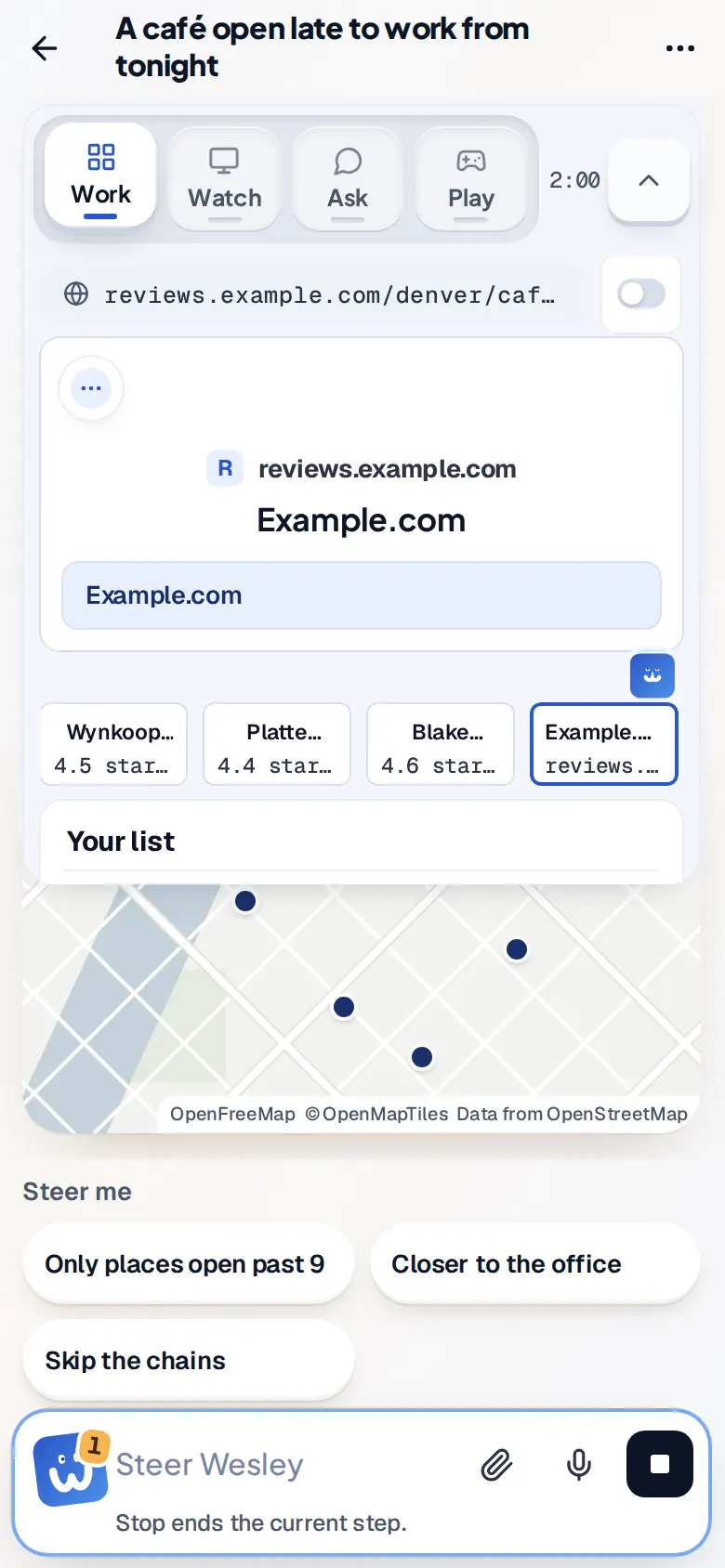
    • Steer or stop. Tap a suggestion or type while he works to change course. Stop ends the current step.
    • Act on it. Book or get directions from the answer. Anything that needs your yes waits in amber.

    04 Helpers and agents

    One ask. Many hands.

    Wesley splits big jobs, and helpers work on the parts at the same time. Agents for standing jobs are rolling out.

    • Helpers side by side. Each takes one part and reports back. You see each one by first name.
    • Agents with a goal. An agent has a name, a job, a goal and a purpose. You make one, or Wesley does when he sees the need. Rolling out
    • Three speeds. Instant agents answer in place in seconds. Fast and Full agents run as their own topics. Wesley picks the speed. Rolling out
    • One list of hand-offs. Each shows who asked, its state and its result. A stuck one turns amber so you can step in. Rolling out
    • Coworkers' Wesleys. He can ask a coworker's Wesley things like when they are free. A privacy check holds back anything personal. Rolling out

    Topic We move offices on the 28th. Get quotes from two movers, check the new building's rules for the elevator, and find someone to recycle the old desks.

    How he splits a job, drawn as a floor. In the product each helper gets its own card with a first name and what it is doing now.

    05 Memory, skills and tools

    Tell him once. He remembers.

    Wesley keeps what you tell him and the way you like things done.

    • Memory from your words. He learns from what you say, never from pages he read. See every fact and turn any one off.
    • A profile for calls. Write what he may share, when to hand you the call, and what he may agree to pay.
    • Learns from each call. After a call he suggests what he learned. You approve or reject each one.
    • Skills. Steps, plus how you want them done. Run one now or on a schedule.
    • Kept tools. Scripts that worked are saved with every version and found by what they do. Rolling out
    • Bring your notes. Import notes and files from another assistant with Teach Wesley.

    06 Routines and watches

    Your day is ready before you start.

    Wesley runs jobs on a clock, watches pages and follows up. When something changes, he starts the work and tells you.

    • Morning brief. Weekdays at 7:30 by default. It ends with offers you take with Do it or Not now.
    • Routines in plain words. “Every Friday, total my receipts.” Up to 20 of them.
    • Watches. He checks a page for a change, or a price that crosses your line, then starts the work.
    • Starts on events. A webhook or a new email can start a job.
    • Ten jobs to start with. Your day ready before you start, notes before each meeting, email that needs you, what you promised people, your week in review, and more.

    07 On your phone

    Start at your desk. Finish on your phone.

    Every topic works on both, built from the same parts. One bar at the bottom, big buttons, and alerts with Approve and Decline.
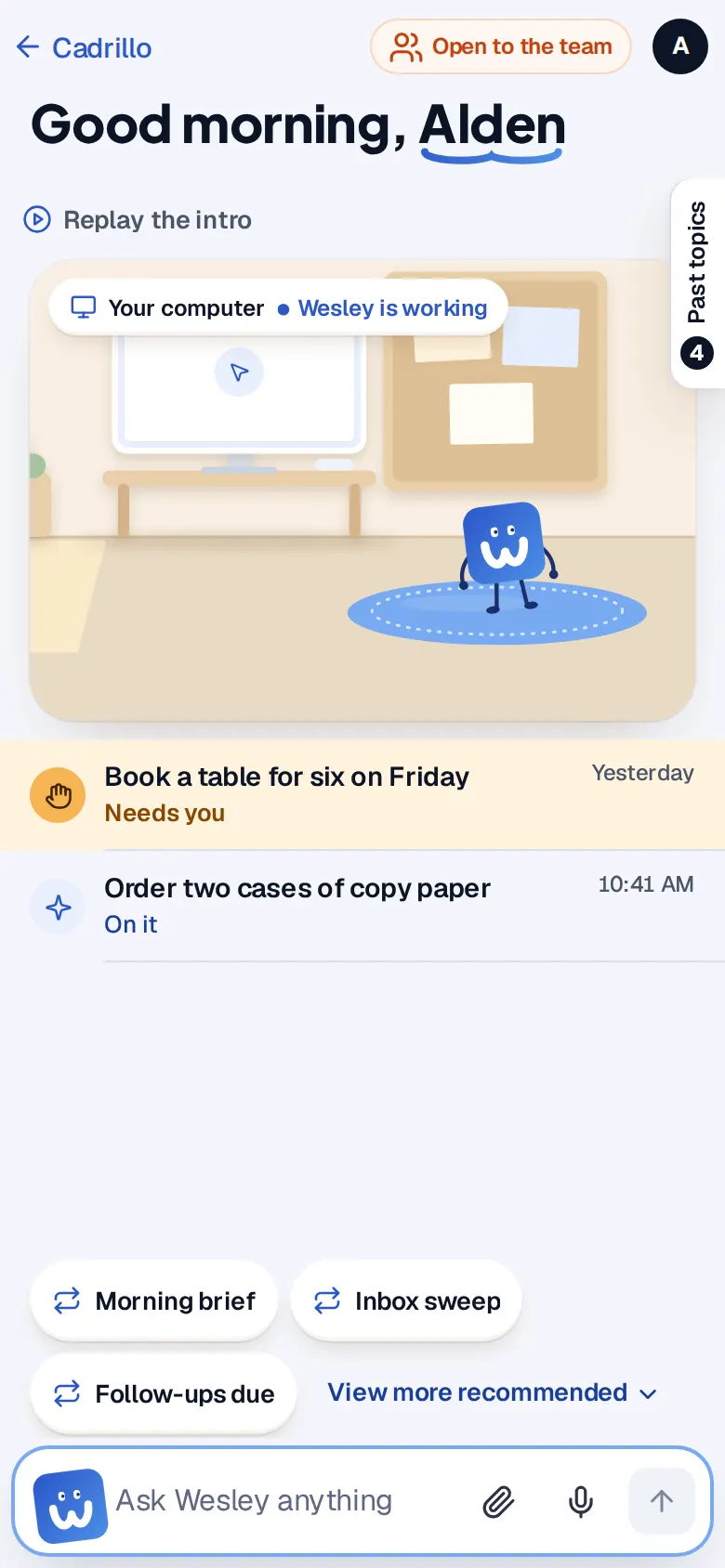
    Phone home screen: Good morning, Alden. A topic that needs you is listed first, in amber.
    What needs you comes first
    Phone topic while Wesley works: the Work tab with places on a map and Steer me buttons
    Watch him work
    Phone during a live call: a big red Hang up bar at the top and the call as it happens
    A live call, on the go
    Phone topic waiting on you: Your turn. Which time should I book? 7 pm or 7:30 pm
    Your turn, in amber
    Phone answer: checked against 1,214 Google reviews and 380 on Yelp, with a map and picks
    The answer, with its sources

    08 The numbers

    What each part can do, and its limits.

    The caps we set, taken from the product itself.

    Computer

    2at once per person

    A full desktop with a browser. Sleeps after 30 quiet minutes and keeps its files.

    Agents Rolling out

    30active per person

    Instant, Fast or Full. One with no work for 14 days is archived.

    Kept tools Rolling out

    200per person

    Up to 100 KB of code each, every version kept, found by what they do.

    Email

    100a day

    Five people per email at most. Sending pauses after 3 bounces in 24 hours.

    Calls and texts

    30calls 60texts a day

    No 911, toll-free or premium numbers, ever.

    Calls, texts and email are switched on per account during the beta.

    Triggers

    • A time, in plain words
    • A page change, or a price line
    • A webhook: 16 KB, 30 an hour
    • A new email

    Files he makes

    xlsxdocxpdfpptxcsvhtmltxt

    Pages he publishes stay on a private link until you share them.

    Connections

    CalendlyNotionLinearJiraConfluenceStripeSquarePayPalDropboxTodoistIntercomGranolaFireflies

    One press connects each. Tokens are sealed under your company's key and tied to you.

    09 You stay in charge

    He asks when it matters.

    Amber means it is your turn. You set what he may do on his own.

    An amber card: your turn. Which time should I book?

    Your turn, in amber

    When he needs a yes or a choice, the card turns amber and waits for you.

    Ask first, or go ahead

    Each kind of email can ask first or send on its own. A call you did not ask for waits for your yes. Each has a daily cap.

    Stop any time

    Stop ends the current step. Hang up ends a call. Take control hands you the mouse.

    Sealed secrets

    Records keep a placeholder in place of a password. A one-time code is deleted once it is used.

    Our own servers

    Wesley runs on servers we operate. Your connection secrets are sealed with AWS Key Management Service and bound to your company.

    Tell him he got it wrong

    A Feedback tab sits on every page. Mark up a screenshot and say what to fix.

    What will you hand him first?

    Wesley Ultra is in a gated beta. Ask for a seat and we will set you up.

    1. 1Request access with Google
    2. 2A person approves your account
    3. 3Open the Wesley tab, pick up to 3 starter jobs, then ask